Dashboard
The Dashboard is the main monitoring screen of Security Hero RMF, giving you a comprehensive view of your cloud assets' security status in a single screen.
Use the risk score, asset scan summary, risk distribution, and recent assessment results to quickly understand the current security posture of your cloud environment.
Dashboard data is updated when the following actions are performed:
- Asset Synchronization is run
- Risk Assessment is run
Run an asset sync or risk assessment to see the latest security status.
The dashboard is organized into the following sections:
- Security Status Summary (KPIs) – Overall Risk Score and key metrics
- Risk & Asset Distribution Charts – Asset risk levels and distribution by service
- Operations Panel – Assessment history, critical findings, and recent activity
1. Security Status Summary
1.1. Key KPI Cards
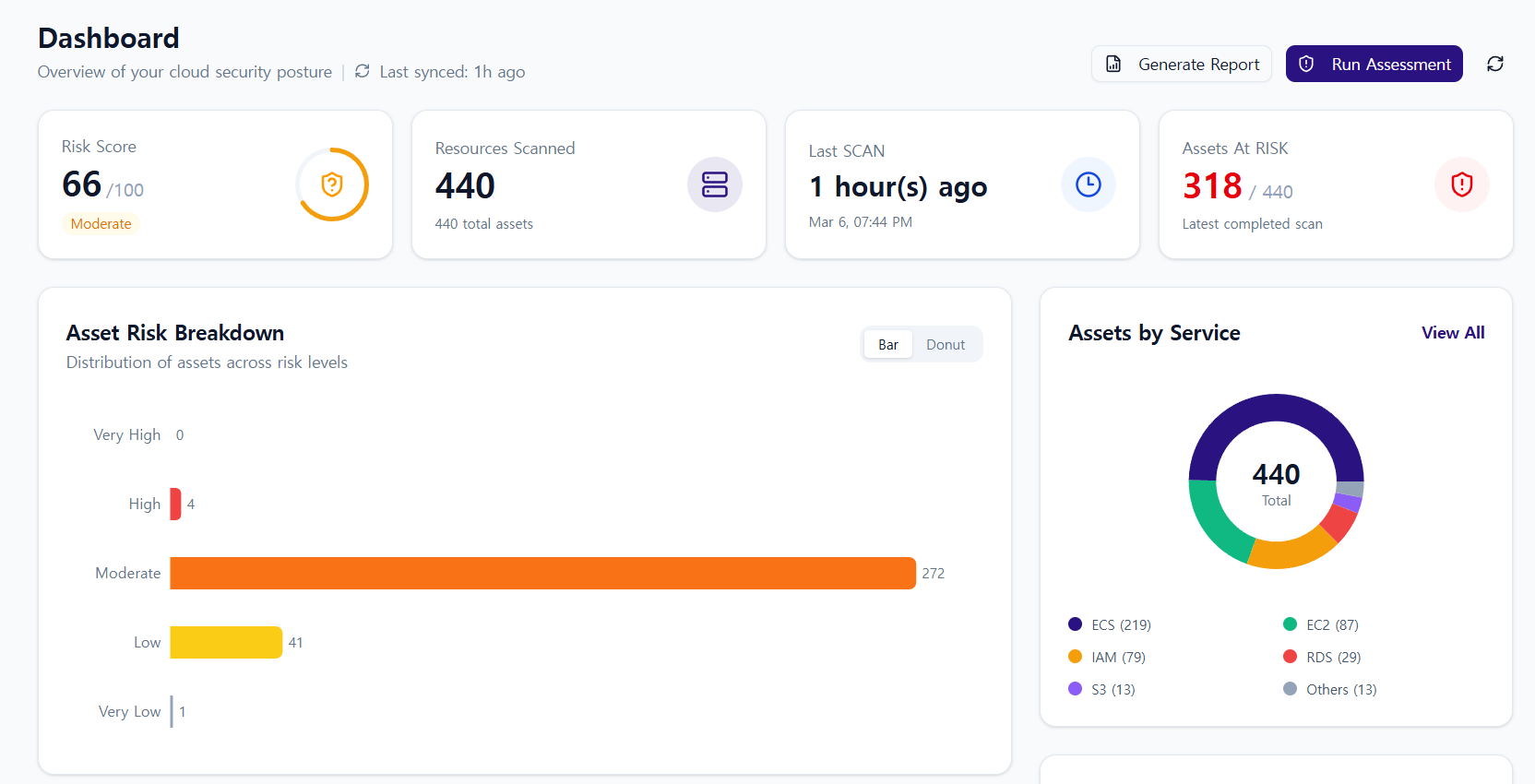
The cards at the top give you an at-a-glance view of your current security status.
- Risk Score: A score (0–100) and rating label representing your overall security posture
A higher score means better security health.
- Resources Scanned: The total number of resources included in the most recent asset sync and risk assessment
- Last Scan: The timestamp of the last completed risk assessment
- Assets At Risk: The number of resources for which risk findings were identified in the assessment
1.2. Asset Risk Breakdown
Visualizes the distribution of asset risk levels. Shows how your assets are spread across risk levels so you can see which risk grades are most prevalent.
- Displays the number of assets per risk level (
Very High,High,Moderate,Low,Very Low). - Toggle between Bar and Donut views to see the same data in different formats.
1.3. Assets by Service
Visualizes the proportion of assets by service type. This lets you see whether assets are concentrated in a particular AWS service.
2. Risk/Asset Distribution Charts & Operations Status
2.1. Assessment History
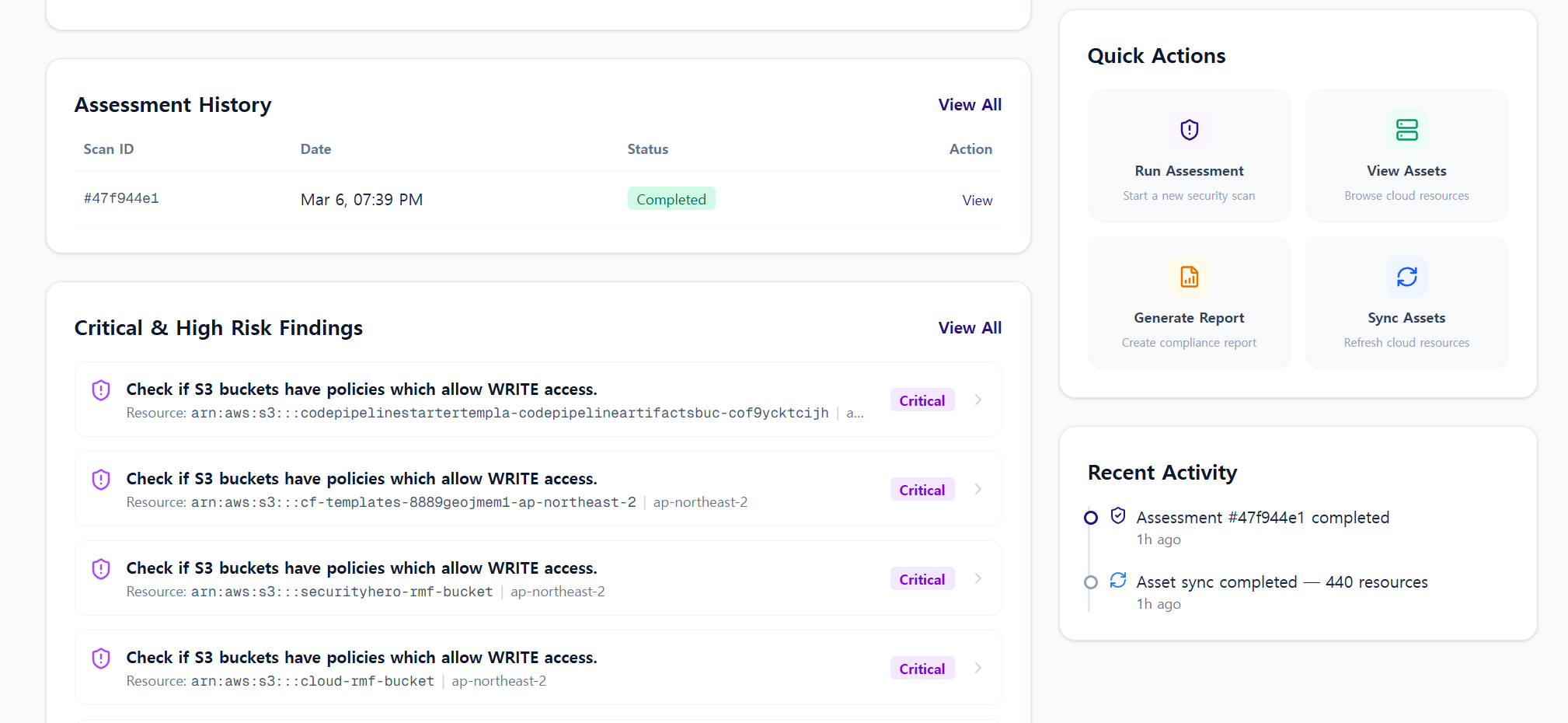
A quick summary of past risk assessment runs.
- Scan ID
- Date
- Status (e.g.,
Completed,Failed) - Action (View)
2.2. Quick Actions
Jump directly to frequently used features without navigating through the sidebar.
- Run Assessment
- View Assets
- Generate Report
- Sync Assets
2.3. Critical & High Risk Findings
Surfaces the most important findings at Critical/High severity levels from your scan results. This helps you quickly identify security issues that require immediate attention.
2.4. Recent Activity
A timeline of recently performed actions. View system activities such as asset synchronization and risk assessment runs in chronological order.
3. How to Use the Dashboard
The dashboard lets you quickly perform the following tasks:
- Get an immediate read on your cloud environment's security health via KPIs and charts
- Prioritize your response by reviewing Critical/High Findings first
- Track operational history through Assessment History and Recent Activity
- Access key security workflows quickly using Quick Actions