Report
The Report feature provides a 4-step workflow for compiling your risk assessment results into a shareable document.
From selecting a project and scan through choosing resources, customizing the report layout, and finally previewing and exporting the file — everything is handled in one flow.
The Report creation page follows this 4-step workflow:
- Step 1 – Select Project: Choose the project and scan to base the report on
- Step 2 – Select Resources: Choose which assets to include in the report
- Step 3 – Customize Report: Configure the report's content and document settings
- Step 4 – Preview & Export: Review the final document and export the file
1. Step 1: Select Project
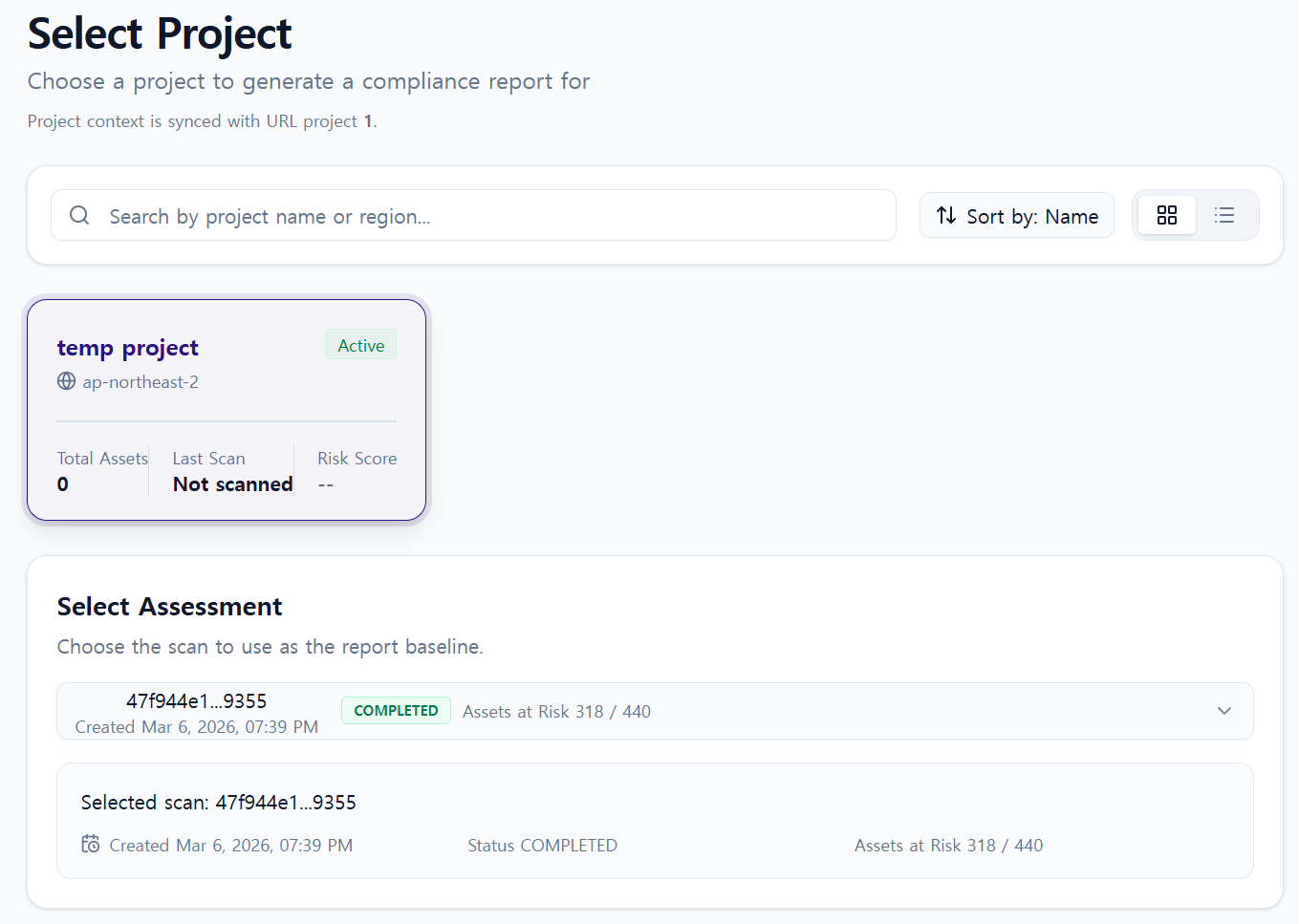
Select the project and scan results to use as the basis for your report.
- Select the target project
- Choose one scan result from that project
- All data in subsequent steps will be based on the selected scan result
The report uses the asset and risk data captured at the time of the selected scan.
2. Step 2: Select Resources for Report
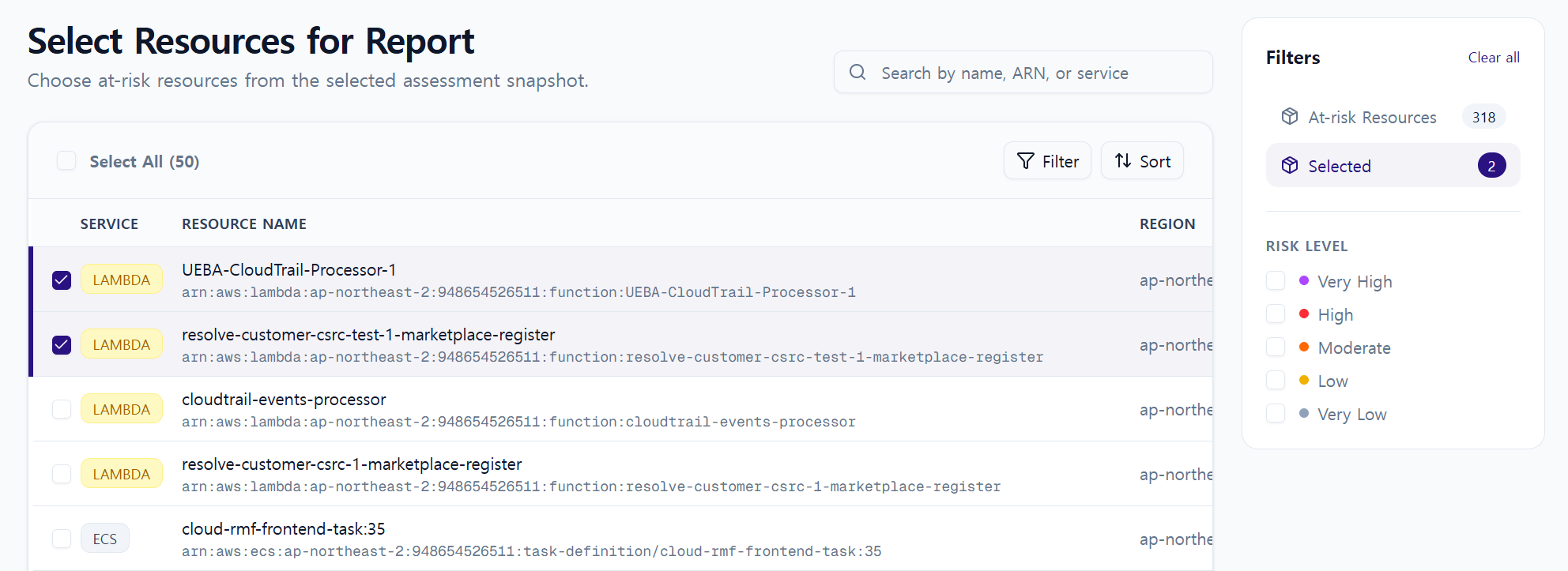
Choose which assets to include in the report.
- View the list of assessed assets
- Select or deselect assets to include in the report
- Narrow the report scope to only the assets you need
3. Step 3: Customize Report
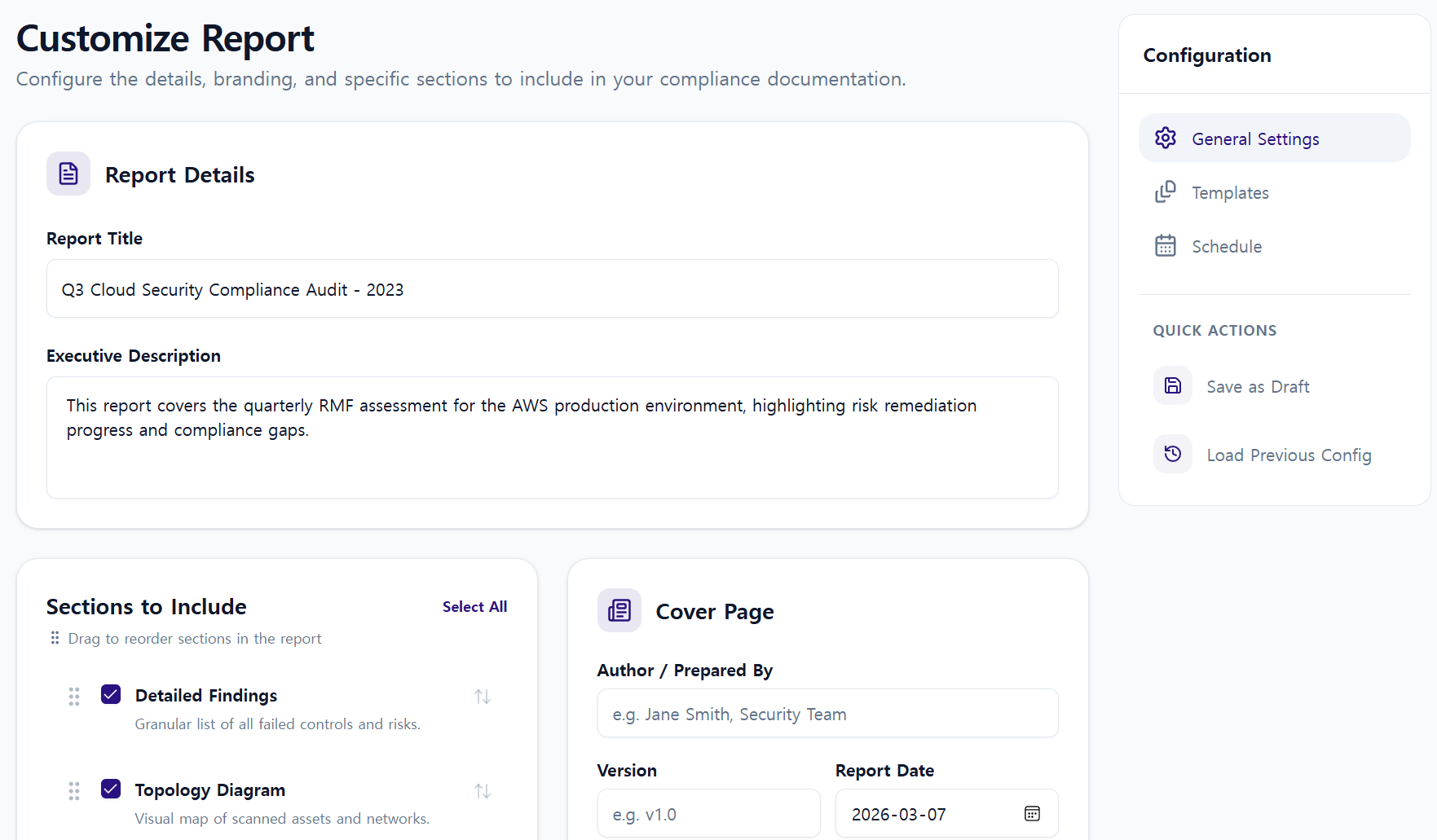
Customize the document structure of the report.
- Set the Report Title
- Enter a Description
- Choose which sections to include
- e.g., Detailed Findings, Topology Diagram, Risk Summary
- Customize the Cover page
4. Step 4: Preview & Export Report
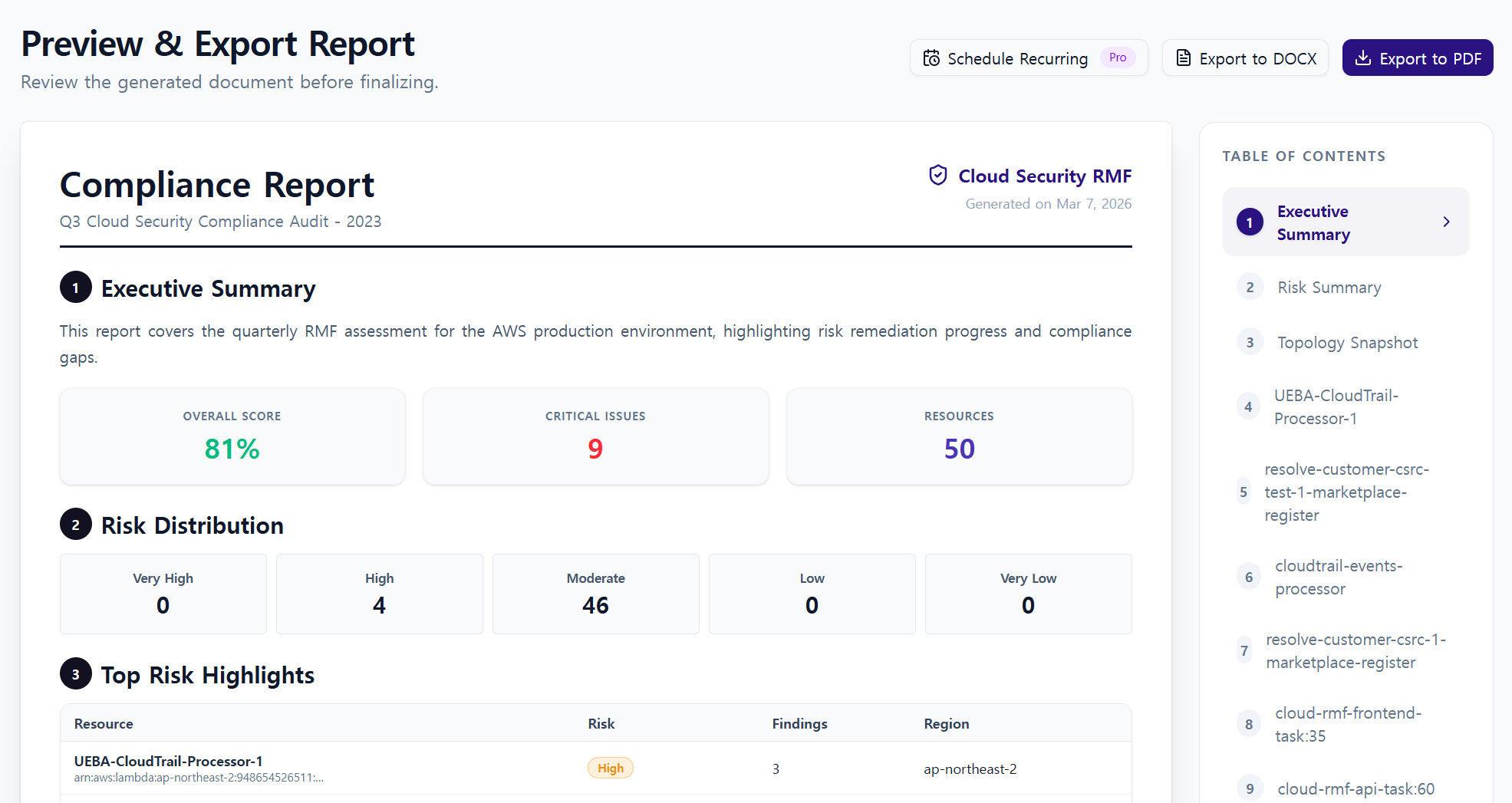
The final step — review the document and export it as a file.
- Preview the generated report
- Go back to any previous step to make changes
- Choose the final export format:
- Export to PDF
- Export to DOCX
5. Report Contents
Generated reports include the following security information:
- Project and scan details
- Asset risk summary
- Detailed per-asset findings
- Vulnerabilities and security recommendations
- Network or asset topology diagram (if selected)
- NIST-based security control items
Report content is generated from the data as of the selected scan.
6. Operational Tips
- Keep your report grounded by basing each one on a single scan for a specific project
- Use asset selection and customization to tailor the document for your target audience (operations, security, or management)
- Review quality in the Preview step before immediately distributing via PDF or DOCX